鞏固基礎佈局排版知識點,主要內容是介紹佈局css技巧。
目錄
- 左右布局
- 左中右布局
- 水平居中
- 垂直居中
- 等其他小技巧
- CSS學習資源
左右布局
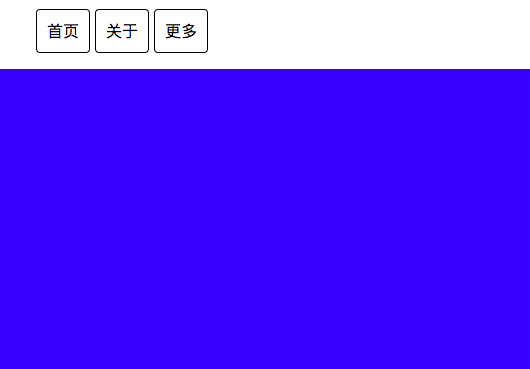
float布局
- 给所有子元素加float: left
- 给父元素加clearfix, 清除浮动
HTML
<div>
  <nav>
    <ul class="clearfix">
      <li>首页</li>
      <li>关于</li>
      <li>更多</li>
    </ul>
  </nav>
  <div class="content">

  </div>
</div>
CSS
body {
  margin: 0
}
.clearfix::after {
  content: '';
  display: block;
  clear: both;
}

ul {
  list-style: none;
}

ul li {
  float: left;
  border: 1px solid black;
  border-radius: 4px;
  margin-right: 5px;
  padding: 10px
}

.content {
  width: 100%;
  height: 300px;
  background-color: blue;
}
左中右布局
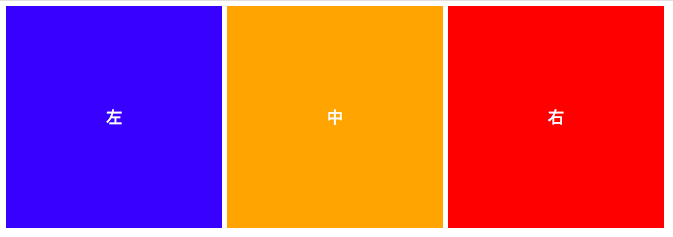
使用float来布局,原理和上面一样
HTML
<div class="clearfix">
  <div class="left box">左</div>
  <div class="center box">中</div>
  <div class="right box">右</div>
</div>
CSS
.clearfix::after {
  content: '';
  display: block;
  clear: both;
}

.box {
  float: left;
  text-align: center;
  color: white;
  padding: 100px;
  margin-right: 5px;
}

.left {
  background-color: blue;
}
.center {
  background-color: orange;
}
.right {
  background-color: red;
}
水平居中
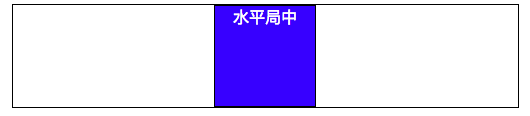
把一個box實現水平線居中
HTML
<div>
  <div class="box">水平局中</div>
</div>
CSS
#1
div {
  text-align: center;
}

.box {
  display: inline-block;
  text-align: center;
  color: white;
  width: 100px;
  height: 100px;
  background-color: blue;
}

#2 可以在父元素設寬度
div {
  margin: 0 auto;
}

.box {
  text-align: center;
  color: white;
  width: 100px;
  height: 100px;
  background-color: blue;
}
垂直居中
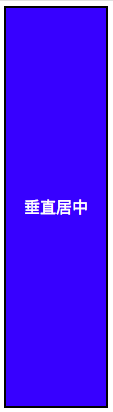
vertical-align 是用来指定内嵌元素(inline element) 和table-cell 垂直對齊。
在父元素加table,然後在子元素加table-cell變成表格styles
MDN: The vertical-align CSS property specifies sets vertical alignment of an inline or table-cell box.
HTML
<div>
  <div class="box">垂直居中</div>
</div>
CSS
div {
  border: 1px solid black;
  height: 400px;
  display: table;
}

.box {
  display: table-cell;
  vertical-align: middle;
  text-align: center;
  color: white;
  width: 100px;
  height: 100px;
  background-color: blue;
}
等其他小技巧
- 如沒有必要的話,不用特意給高度或寬度,減少bug。可以使用padding 來替代
- 使用float,必須要使用clearfix方法。(以上)
- 使用Flexbox佈局
- 使用Grid佈局
CSS學習資源
- Google: 关键词 MDN
- CSS Tricks
- Google: 阮一峰 css
- 张鑫旭的 240 多篇 CSS 博客
- Codrops 炫酷 CSS 效果
- Magic of CSS 免费在线书